In a field where visual decisions are made in seconds, a color randomizer offers designers a systematic way to break routine, test contrast, and inspire fresh palettes without sacrificing speed. By injecting true randomness into the color selection process, the tool becomes a quiet catalyst for creativity, allowing busy professionals to generate viable design options while keeping project timelines intact.
How does a color randomizer transform the design workflow?
Randomization turns the subjective guesswork of “what looks good?” into an objective experiment. When a designer clicks a button, the software pulls hues from the full spectrum, applies them to key UI elements, and instantly displays a mockup. This rapid iteration reveals combinations that would otherwise be overlooked, and it forces the designer to evaluate hierarchy, accessibility, and brand alignment on sight rather than intuition alone.
What concrete advantages does it give busy professionals?
Time is the most valuable resource on a designer’s docket. A color randomizer delivers three measurable gains:
- Speed of ideation: A single click produces five to ten fully‑styled concepts in under a minute, slashing the brainstorming phase.
- Data‑driven validation: Many tools pair random palettes with contrast checkers, ensuring WCAG compliance before the design moves forward.
- Reduced decision fatigue: By delegating the first round of palette selection to an algorithm, designers reserve mental bandwidth for layout, typography, and user flow.
Which tools make color randomization reliable and easy?
Not every randomizer is created equal. The most effective solutions share these traits:
- Seeded randomness: Allows designers to reproduce a specific set of colors for client review.
- Integrated accessibility scanning: Highlights low‑contrast pairings instantly.
- Export ready formats: Generates CSS variables, JSON, or Adobe Swatch files with a single click.
Popular options include Adobe Color’s “Explore” mode, the open‑source “random‑color” JavaScript library, and Figma plugins that sync directly to the canvas. Each integrates smoothly into existing workflows, meaning there’s no need to switch applications or learn new interfaces.
What pitfalls should designers avoid when relying on randomness?
Randomization is a shortcut, not a replacement for strategic thinking. The following traps can undermine its benefits:
- Over‑reliance on novelty: A striking palette may look great in isolation but clash with brand guidelines if not vetted.
- Ignoring context: Random colors work best for exploratory phases; final production still demands deliberate refinement.
- Neglecting user research: Even the most balanced palette must be tested with real users to confirm emotional resonance.
By using a color randomizer as an early‑stage ideation tool and then applying brand standards and user insights, designers keep the process both efficient and grounded.
What does the future hold for color randomization in design?
Machine learning is already feeding into randomizers, allowing algorithms to suggest palettes that align with industry trends while still preserving true randomness. As these systems mature, designers can expect even tighter integration with style guides, automated A/B testing of color variants, and real‑time adaptation to user‑driven data. Until then, the simple act of pressing “random” remains a powerful, low‑cost weapon for any designer seeking to stay ahead of the curve without sacrificing precious time.
Glute Bridge Exercise Illustration Two Step Full Body Vector Diagram

Glute bridge exercise illustration two step full body vector diagram ...
Bridge Exercise Smith Machine Glute Bridge New Arrivals

Bridge Exercise Smith Machine Glute Bridge New Arrivals
Glute Bridge Exercise
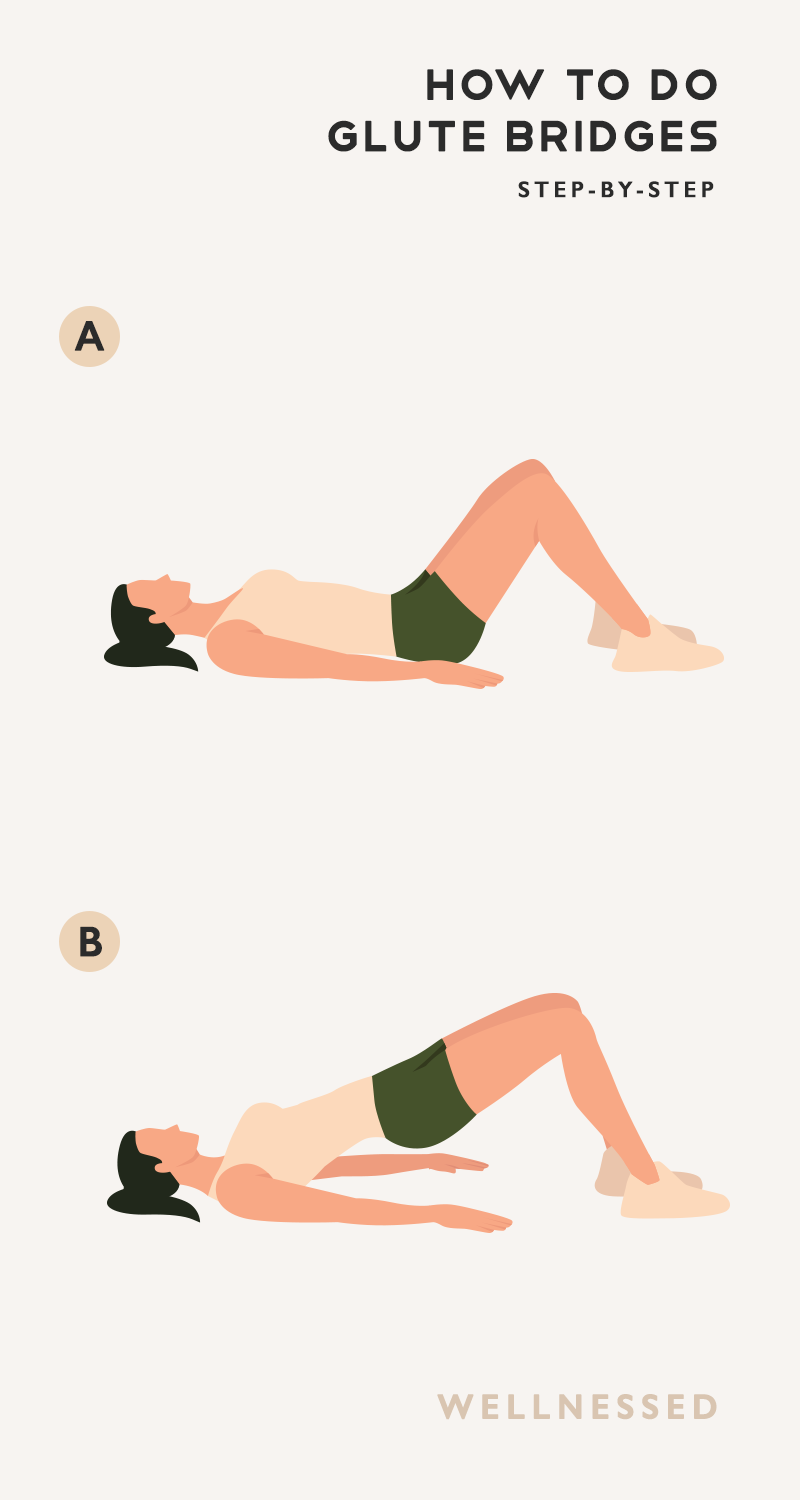
Glute Bridge Exercise
Glute Bridge Substitute At Audrey Stier Blog

Glute Bridge Substitute at Audrey Stier blog
Glute Bridges Richtige Technik | Glute Bridge Hüftheben – JWKXRY

Glute Bridges Richtige Technik | Glute Bridge Hüftheben – JWKXRY